Party Lights Background: A Designer’s Guide
When you are tasked with creating visuals that need to pop, the foundation often matters more than the foreground. The Party Lights Background is not just a static image; it is a versatile digital asset designed to inject energy and celebration into any project. Created with precision in Adobe Illustrator, this vector-based resource offers a level of flexibility that raster images simply cannot match. Whether you are designing an invitation for a milestone birthday or crafting a bold social media graphic for a seasonal sale, understanding how to leverage this background can elevate your design work from amateur to professional.
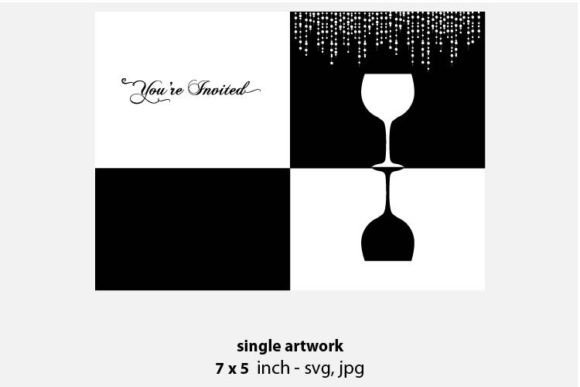
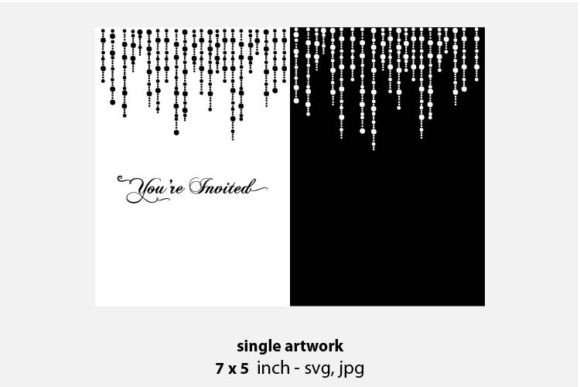
The visual characteristics of this background are rooted in the aesthetics of festivity. Imagine soft, glowing orbs of light scattered across a dark canvas, mimicking the bokeh effect of string lights at an evening event. The color palette is typically vibrant yet balanced, utilizing RGB values that ensure brilliance on screens while maintaining integrity when converted for print. At a resolution of 300 DPI and an artboard size of 12 x 12 inches, the file is optimized for high-quality output. This means you can scale the design up for a large banner or down for a business card without losing clarity or introducing pixelation.
Unlocking Versatility Across Creative Projects
One of the strongest advantages of using a vector-based Party Lights Background is its adaptability across various mediums. Because the files are provided in both SVG and JPG formats, you have the freedom to choose the right tool for the job. The SVG format is ideal for web design and digital applications where scalability and small file sizes are crucial. It allows developers and designers to manipulate colors and shapes directly within code or design software, ensuring seamless integration into responsive layouts.
For print-based projects, the high-resolution JPG serves as a reliable backdrop. Consider the possibilities for stationery and invitations. A wedding announcement or a holiday party invite gains immediate warmth and depth when layered over these glowing lights. The background provides context without overwhelming the primary text. Similarly, for handmade craft items, such as custom greeting cards or scrapbooking pages, this digital element can be printed on high-quality paper to create a textured, professional look that stands out in a mailbox full of plain envelopes.
Entrepreneurs and small business owners will find particular value in using this asset for branding materials. It works exceptionally well for packaging design, especially for products associated with celebration, such as gourmet chocolates, party supplies, or limited-edition releases. The festive vibe communicates joy and exclusivity, influencing consumer perception before they even read the product description. In the realm of graphic and web design, it can serve as a hero section background for a landing page promoting an event, instantly capturing visitor attention and setting a positive tone.
Enhancing Brand Identity and Visual Hierarchy
Incorporating a Party Lights Background into your design toolkit is about more than just aesthetics; it is a strategic move for brand identity. Consistency in visual elements helps build recognition. If your brand is associated with fun, community, or celebration, using this background across social media graphics, email headers, and promotional flyers creates a cohesive narrative. It signals to your audience that your brand understands the mood of the occasion.
However, effective use requires a keen eye for visual hierarchy. The glowing lights act as a display element, drawing the eye but potentially competing with foreground content if not managed correctly. To maintain professionalism and readability, it is essential to treat the background as a supporting actor. Use solid or semi-transparent overlays when placing text over the lights. This technique ensures that your message remains legible while still benefiting from the atmospheric depth of the background.
For marketers and content creators, this approach enhances engagement. Social media platforms are saturated with flat, two-dimensional images. A post featuring subtle lighting effects and depth stands out in the feed, encouraging users to pause and interact. Whether you are announcing a flash sale or sharing a customer testimonial, the added visual interest can improve click-through rates and overall campaign performance. It transforms standard announcements into memorable experiences.
Practical Guidance for Selection and Implementation
Choosing the right assets for your project involves evaluating several factors beyond just visual appeal. When working with the Party Lights Background, start by considering the color palette of your existing brand identity. Does the RGB color scheme complement your logo and primary brand colors? If your brand uses cool tones, look for variations of the background that feature blues and purples. For warmer brands, seek out versions with golds, reds, and oranges. This alignment ensures that the design feels intentional rather than tacked on.
- Test Font Pairings: Since the background is busy with light elements, pair it with clean, modern typography. A sans serif font often works best for body text, while a bold display font can be used for headlines. Avoid script fonts unless they are large and high-contrast, as they may get lost against the glowing orbs.
- Evaluate Readability: Always preview your design at actual size. What looks good on a large monitor might be illegible on a mobile screen. Adjust the opacity of the background layer if necessary to reduce visual noise.
- Check Licensing Terms: Ensure that the commercial license covers your intended use. Most premium font and graphic assets allow for unlimited personal and commercial projects, but it is wise to verify restrictions on resale or redistribution of the raw files.
Another critical consideration is the technical setup. Since the files are made in Adobe Illustrator, you have the advantage of editing individual elements if you have the software. You can recolor specific lights to match a client’s brand guidelines or remove certain elements to create negative space for logos. If you do not have access to Illustrator, the JPG files are ready to use in any standard image editor, such as Photoshop or Canva. This accessibility makes the asset valuable for both seasoned designers and hobbyists.
For those involved in editorial design or publishing, consider using the background for chapter dividers or section breaks in digital magazines. It adds a touch of elegance and breaks up long blocks of text, improving the reader’s journey. In jewelry design marketing, the sparkling effect of the lights can mimic the brilliance of gemstones, creating a synergistic visual that highlights the product’s features.
Ultimately, the Party Lights Background is a powerful tool in your creative arsenal. It bridges the gap between digital precision and emotional resonance. By understanding its technical specifications and applying thoughtful design principles, you can create works that are not only visually stunning but also strategically effective. Whether you are crafting a simple handmade card or a complex web interface, this asset provides the perfect backdrop for your next big idea.